17741 Mitchell North Irvine, California USA 92614-6028
Monday – Friday 7:00am – 4:00pm Pacific Time (GMT–8)

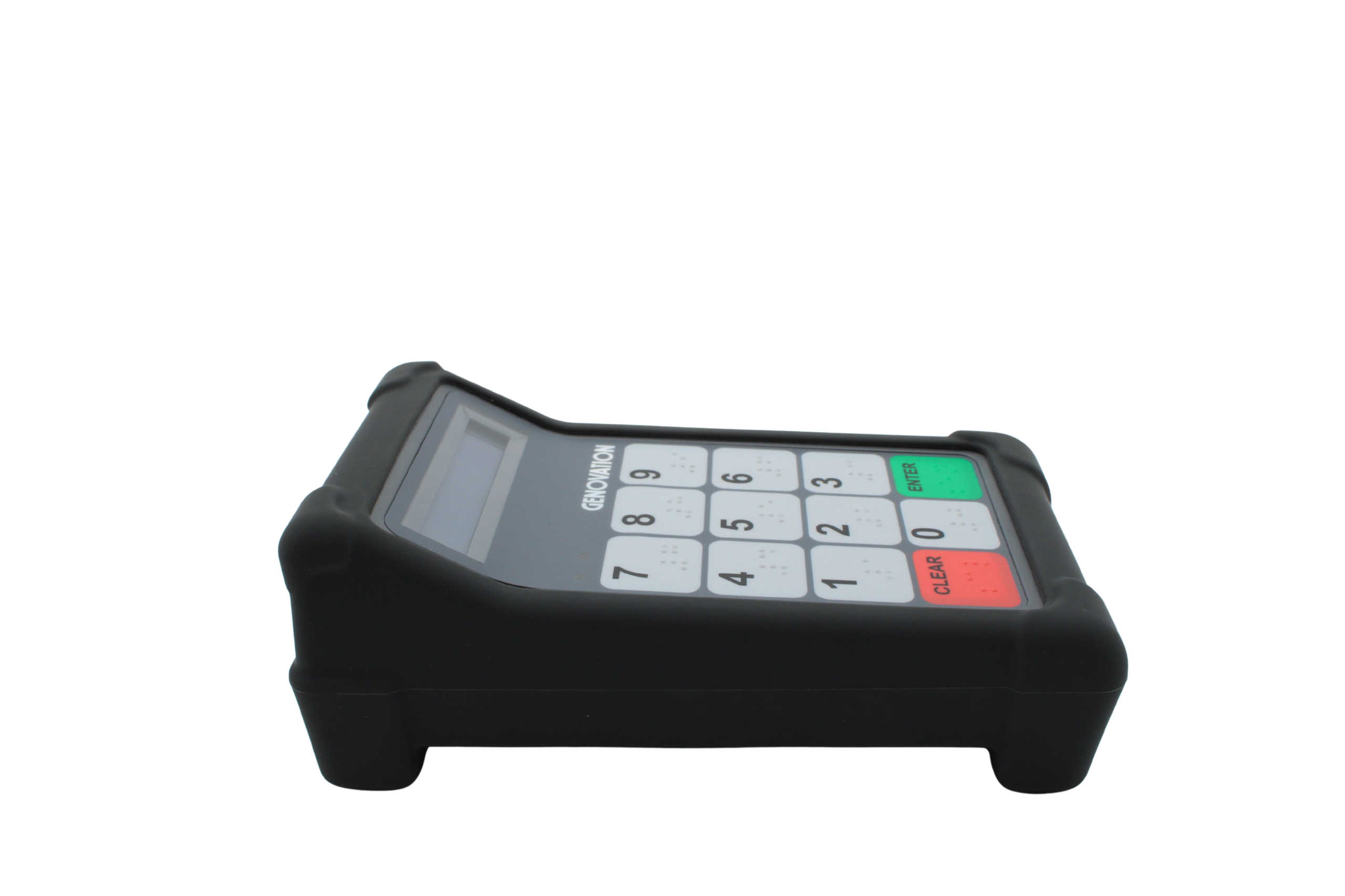
MiniTerm 909 12-Key Membrane w/Braille PinPad

Overview

A Faster Way to Keep Lunch Lines Moving–Designed for School Cafeterias

Recommended replacement for 904

The Miniterm 909 is a a reliable, efficient, PIN pad—cutting wait times while boosting accuracy. Built for reliability and speed, it’s the smart choice to streamline your POS process, and make lunch line processing fast, smooth, and more enjoyable for students and staff.

909 Sales Sheet

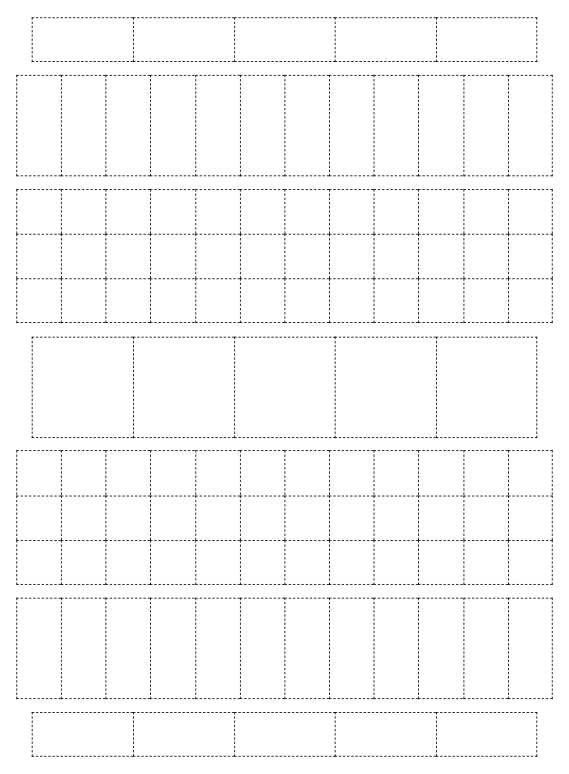
909 Student PIN Number Practice Sheet

MiniTerm 909 12–Key Membrane w/ Braille PinPad

Durable, Accessible Keypad Solution for K–12 Cafeteria Point of Sale Systems

Overview

Designed with the needs of school lunch programs in mind, the MiniTerm 909 12–Key Membrane PinPad offers a simple, accessible, and hygienic solution for managing student transactions in the cafeteria. With large, easy-touch keys, braille bumps for ADA compliance, and reliable performance, this keypad is a go-to for K–12 cafeteria managers and school administrators looking to streamline student meal service and reduce errors at the register.


Built for Busy School Cafeterias

Whether you’re running a small elementary school cafeteria or managing a multi-school foodservice program, the MiniTerm 909 delivers the durability and speed your staff needs during high-volume lunch periods. Designed specifically for school cafeteria point of sale (POS) systems, it supports fast student ID processing using keypad entry, or optional barcode scanning, or optional RFID student ID cards.

  • Fast and Easy to Use
    The intuitive 12-key layout allows students to enter PINs or ID numbers quickly, helping keep lunch lines moving. Staff can rely on the 909 for consistent, error-free input—even during the busiest lunch rush.
  • ADA-Compliant Design
    Includes braille-labeled keys to support students with visual impairments, helping your district meet accessibility standards without sacrificing efficiency.
  • Available with Barcode and RFID Options
    See 909-RFID-RF5 for more information.

Built for Schools. Built to Last.

Cafeteria hardware must hold up to daily use and cleaning. The MiniTerm 909’s sealed membrane keypad is easy to wipe down and sanitize, helping maintain hygiene standards in foodservice environments. It’s also engineered for longevity, with reliable components that stand up to repeated student use, day after day.

  • Hygienic design that’s easy to clean between shifts
  • Long-lasting keypad with millions of keypress cycles
  • Durable enclosure and protective, FDA-grade rubber boot, ideal for foodservice and high-traffic school settings

Why School Districts Choose the MiniTerm 909

  • Speeds up student meal service and reduces wait times in the cafeteria
  • Supports district-wide POS systems with USB plug-and-play compatibility
  • Reduces manual entry errors with programmable keys and student ID support
  • Improves accessibility with braille key labels and large easy-to-press buttons
  • Reliable with 3-year warranty


Whether you’re a foodservice director, cafeteria manager, or school administrator, the MiniTerm 909 helps simplify cafeteria line operations and improve the lunch experience for both students and staff.

Get Started

The MiniTerm 909 integrates easily with most school lunch POS systems, including both standalone and networked setups. Simply connect via USB and configure to match your district’s cafeteria workflows. Optional mounting stands and extended cable options are available to meet any cafeteria layout.

Contact us for more information or reseller partner referals.

📞 Phone: 949–833–3355
📧 Email | Sales@Genovation.com


Mechanical Data:
Life Cycles 2 x 10⁷
Key Type New braille compliant membrane (20,000,000+ operations)
Operating Force 0.686N (79gf)
Color Dark gray
Number of Keys 12
Key Roll-Over Selectable 1 or 2 key
Electrical Data:
Memory FLASH+EEPROM non-volatile, >100 year retention
LCD Display:
Type High-Contrast 2×16 Super-Twist “STN”
Backlight Yes (LED)
Light Emitting Diodes:
Quantity 2
Color(s) 1 Green, 1 Red – Both user programmable
Dimensions:
Length x Width x Height 18.5cm x 8.25cm x 5.3cm (7.25” x 3.5” x 2.25”)
Environmental:
Operating Temperature 0 to 70 degrees C (32 to 158 degrees F)
Operating Humidity 0% to 98% non-condensing
FCC Rating Class B Device
Weight:
Keypad (no options) 0.3kg (0.65lbs)
Single Keypad Ship Weight 1.0kg (2.0lbs)
Interface: USB
Type USB 1.0, 1.1 & 2.0 compliant, bus powered
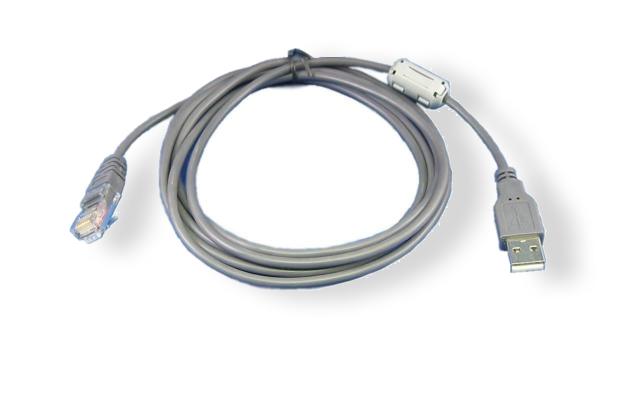
Cable Length Included 6ft (1.8m), detachable via RJ-45 connection
Optional 25ft (7.6m) cable available
Connection RJ-45 to USB standard Type A
Data Rate USB Full Speed
Internal Reader Options:
Barcode Scanner “S” Option = 1D (linear only) Front firing, visible red beam
Supported Bar Code Formats:
o Standard CODE 39
o Full ASCII CODE 39
o Interleaved 2 of 5
o China Postal Code
o Codabar
o Code 32
o MSI Plessy Code
o Code 11
o Industrial 2 of 5
o Matrix 2 of 5
o Telepen Code
o UK Plessy Code
o IATA Code
o Code 93
o EAN-13
o EAN-8
o UPC-A
o UPC-E
o Code 128
o EAN / UCC 128
o RSS-14
o RSS-Limited
Barcode Scanner “QR” Option = 2D (linear and QR) Front firing, visible red beam, and white flashlight for dimly lit rooms
RFID Reader (13.56Mhz) ISO14443A/B/C, ISO15693, NFC, MiFare 1k, HID iClass, nTag
RFID Reader (125Khz) HID PROX2, EM4100
Popular Accessories
USB Cable 6ft RJ45 to USB Type A USB Cable 6ft RJ45 to USB Type C Keypad Stand
File Type
OS Supported
File(s)
File Name
Software v9
Windows 2K/XP, Vista, 7, 8, 10, 11 (March 2016)
MiniTermProSetup_v9_setup.exe (6 MB)
Release Notes
n/a
MiniTermPro.txt (4 KB)
Manual
File(s)
File Type
MiniTerm Quick Set-up Guide
PDF File
MiniTerm User/Developer Manual (May 2011, 1MB)
PDF File
MiniTerm HID Keyboard Setup Brief (Configuring MiniTerm as MiniTerm-K)
PDF File
MacroMaster Advanced Mode Manual (Oct. 2009, 1MB)
PDF File
MiniTerm Low-Level USB Application Note
PDF File
MiniTerm Low-Level USB Application Note Files
RAR Archive
Sharp ECR Application Note Using a MiniTerm with a Sharp Electronic Cash Register
PDF File
Using the MiniTerm as a Serial LCD (including LCD Smartie)
PDF File
Genovation LCD Smartie display plug-in
ZIP Archive
Description
Comment
File(s)
File Type
Firmware v5.60 (May 2011)
» Upgrade using RS232 cable!
» See "Release Notes" above.
» Use browser Save As...
Call!
MiniTerm_upg_v5_60.upg (59 KB)
Firmware v6.10 (Dec 2011)
» Upgrade using RS232 cable!
» See "Release Notes" above.
» Use browser Save As...
Call!
MiniTerm_upg_v6_10.upg (59 KB)
Instructions
Firmware upgrade instructions
MiniTermFirmware Upgrade.pdf (138 KB)

KS100 – Mounting Kit

PN: KS100 This mounting kit was designed to affix our Programmable Keypads and Mini Terms with ease to any surface.

Replacement 6 Feet RJ45 to USB Cable

PN: 6RJ-USB This USB Cable is compatible with Controlpad models CP24 and CP48.  It is a detachable cable with an RJ connection on one end and a USB-A Male connection on the other end. Length: 6 feet.

Replacement 6 feet RJ to USB-C Cable

PN: 6RJ-USB-C This USB Cable is compatible with Controlpad models CP24 and CP48.  It is a detachable cable with an RJ connection on one end and a USB-C Male connection on the other end. (Example: connect it to a desktop, laptop, tablet, phone with a USB-C connection). Length: 6 feet.

12' USB Cable with male RJ-45 plug for MiniTerm 9xx series (ver 4+)

Replacement 12 Feet RJ45 to USB Cable

PN: 12RJ-USB This USB Cable is compatible with Controlpad models CP24 and CP48.  It is a detachable cable with an RJ connection on one end and a USB-A Male connection on the other end. Length: 12 feet.

25' USB Cable with male RJ-45 plug for MiniTerm 9xx series (ver 4+)

Replacement 25 Feet RJ45 to USB Cable

PN: 25RJ-USB This USB Cable is compatible with Controlpad models CP24 and CP48.  It is a detachable cable with an RJ connection on one end and a USB-A Male connection on the other end. Length: 25 feet.

Controlpad CP24 CP48 keycap pullers

Keycap Puller

These keycap pullers are designed to pull keycaps off of Cherry MX key switches.

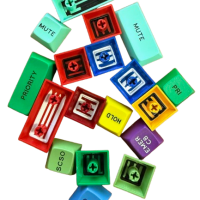
1×1 Relegendable Keycap

This Single (1×1) Size keycap is designed for all Genovation  programmable ControlPad CP24 and CP48 keypads. (Version 2.0 or higher) 

1×2 Relegendable Keycap

This Double (1×2) Size keycap is designed for all Genovation  programmable ControlPad CP24 and CP48 keypads. (Version 2.0 or higher) 

New - Self Print Label Designer

Design your own labels and print on your office printer.

Custom Keycaps

Custom Labels

Custom keycaps are compatible with Genovation mechanical keypads and keyboards (Cherry MX style stem).

Contact Sales
to discuss either
of these options.
Contact

A quote form is available 
at bottom of page.

Custom labels are compatible with Genovation’s relegendable keycaps.  They are easy to apply, and fit underneath the clear lens of the keycap.

Custom Keycaps
Custom Labels

“Why Choose Custom Keycaps”

Custom keycaps offer several benefits:

Highest Durability:

High-quality custom keycaps are designed to withstand heavy use, ensuring long-lasting performance and maintaining their appearance even with frequent typing.

Improved Usability:

Custom keycaps can help improve typing efficiency by clearly marking functions, shortcuts, or special characters on a keyboard, enhancing the user experience.

Enhanced Comfort and Functionality:

With premium materials and various sizes available,custom keycaps can improve typing comfort and enhance functionality and ergonomics.

Premium Aesthetic Appeal:

Custom keycaps add a premium, personalized look to any keyboard,
making it a perfect choice for users seeking a unique and stylish setup.

For Quote, download Excel form and email to Sales.

“Why Choose Vinyl Labels”

Custom vinyl keycap labels offer several benefits:

Cost-Effective:

Compared to fully custom keycaps,
vinyl labels are an affordable way to personalize keyboards.

Quick Turnaround:

Vinyl labels can be easily produced and applied,
allowing for fast fulfillment of customer orders.

Durability:

High-quality vinyl labels are resistant to wear and tear,
ensuring that customizations remain visible for an extended period, even with heavy use.

Improved Usability:

Labels can help improve typing efficiency by clearly marking functions,
shortcuts, or special characters on a keyboard, enhancing the user experience.

For Quote, download Excel form and email to Sales.

error: Content is protected !!