
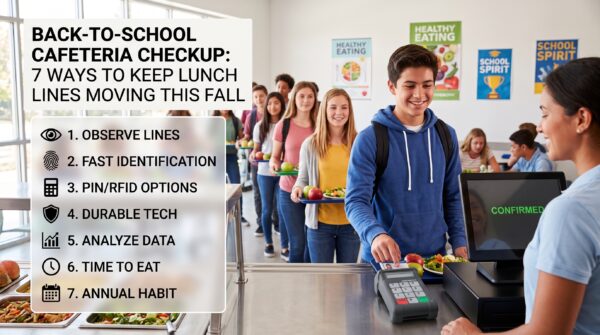
Intro:
September is one of the best times for K–12 school nutrition teams to take a close look at what is—and isn’t—working in the cafeteria.
The start of a new school year brings new students, new schedules, new staff and, ideally, more students participating in school meals. But it can also expose bottlenecks that weren’t obvious during the slower summer months. A few extra seconds at the point of service can quickly turn into long lines when hundreds of students are trying to get through lunch during a limited time.
The good news? September provides an opportunity to identify those challenges early and make practical improvements before they become ongoing frustrations.
Start With the Lunch Line, Not the Technology
Before investing in new equipment or changing a process, spend some time observing what actually happens during the busiest lunch periods.
Where does the line slow down? How long does it take students to identify themselves and complete a transaction? Are students entering IDs or PINs incorrectly? Are cafeteria employees frequently stopping to troubleshoot equipment or answer questions?
Even a small bottleneck can have a significant impact when repeated hundreds of times each day.
For school nutrition directors and administrators, September is an ideal time to establish a baseline. Track transaction times, peak line lengths and common points of confusion. That information can help determine where technology or process improvements could have the greatest impact.
Make Student Identification Fast and Simple
Student identification is only one step in the meal-service process, but it is an important one. The faster and more reliably students can identify themselves at the point of sale, the sooner the next student can move through the line.
A dedicated cafeteria PIN pad can make that process more straightforward.
For example, Genovation’s MiniTerm 909 is designed specifically for high-volume environments such as K–12 school cafeterias. Its 12-key membrane keypad provides a simple interface for PIN entry, while the ruggedized design is suited to the school cafeteria environment.
The MiniTerm 909 also incorporates Braille on its keys, an helping make the point-of-service experience more accessible to students.
For schools looking to improve throughput without completely rethinking their POS workflow, a purpose-built PIN pad can be a simple place to start.
Consider Whether PINs Are Still the Best Fit
Not every district has the same needs. PIN entry may work well for one school, while another may benefit from optional features such as barcode or RFID-based identification.
That’s why it is worth evaluating the workflow rather than assuming there is a one-size-fits-all answer.
Genovation offers MiniTerm configurations that can support different identification methods. The MiniTerm 909-RFID-RF5, for instance, combines PIN-pad functionality with RFID capabilities. Students can use MiFare compatible RFID-enabled ID cards to identify themselves by tapping their card rather than manually entering a number. It is fast and extremely efficient.
Most importantly, schools don’t necessarily have to replace their entire cafeteria POS system to explore improvements at the point of service. Genovation PIN pads are software agnostic, making them universally compatible with most POS cafeteria software. The right peripheral can complement the systems already in place.
Don’t Overlook Accessibility and Durability
Efficiency isn’t the only consideration when selecting cafeteria equipment.
School nutrition technology needs to work for a diverse student population and withstand repeated use throughout the school day. That means administrators should consider factors such as accessibility, ease of cleaning and durability alongside speed.
Features such as Braille key markings can make a difference for accessibility, while a sealed membrane keypad can make routine cleaning easier.
These details may not generate headlines, but they matter when a device is being used hundreds or thousands of times during a typical school day.
Use September Data to Find Your Biggest Bottlenecks
The first few weeks of school can provide valuable operational data.
Consider tracking:
- Average transaction time
- Peak lunch-line length
- Number of incorrect PIN or ID entries
- POS-related interruptions
- Time employees spend troubleshooting
- Student complaints about wait times
The goal isn’t simply to collect numbers. It’s to identify patterns.
If students consistently spend too much time entering identification information, for example, that could point toward a better keypad, barcode scanner, or RFID solution. If the problem occurs somewhere else in the process, technology may not be the answer at all.
The best improvements start with understanding the problem.
Remember What Faster Service Actually Gives Students
A faster cafeteria transaction isn’t just about moving more students through a line.
It’s about giving students more time to eat, reducing pressure on cafeteria employees and creating a smoother experience during one of the busiest parts of the school day.
For administrators, improving point-of-service efficiency can also support larger goals around meal participation and student satisfaction.
When the technology quietly does its job, cafeteria staff can spend less time dealing with avoidable transaction issues and more time focusing on serving students.
Make This Fall’s Checkup an Annual Habit
The beginning of the school year doesn’t have to be a time when cafeteria teams simply react to problems. It can be a regular opportunity to evaluate what’s working, identify bottlenecks and make incremental improvements.
Whether that means adjusting schedules, retraining staff, changing a workflow, or upgrading point-of-service equipment, small changes can add up over the course of an entire school year.
For districts evaluating their cafeteria technology, Genovation offers a range of POS PIN Pads purposely designed for use with cafeteria POS software. Options include
- Integrated barcode scanner
- Wireless Bluetooth
- RFID
- Configuration for single or dual lunch line use
The right solution will depend on each school’s existing POS system, student identification process and operational needs—but September is a good time to start asking the question.
Is your cafeteria technology helping your team move students through lunch as efficiently as possible?
Explore Genovation’s Mini Data Terminals to see the available options for K–12 point-of-service applications.
Ready to Find the Right Cafeteria PIN Pad? Genovation can help you choose the right solution.
For more information – Sales@Genovation.com, or call 949-833-3355
Product line details –Genovation.com