May 11, 2026
–Listen to MP3 Audio Version–(7 Min)
Introduction
When lunch lines get backed up, everyone feels it — students, cafeteria staff, and school administrators alike.The right cafeteria PIN pad can improve speed, accuracy, and the overall student experience.
But with multiple models available, how do you choose the right one?
Here’s a simple guide to help cafeteria managers and school administrators decide.
Start With Your Cafeteria Workflow
Every school cafeteria operates differently.Some rely on PIN entry. Others use barcode scanning or RFID student IDs. Many districts are also expanding breakfast programs using mobile carts across campus.
Before selecting hardware, identify where delays happen.
Ask:
- Are students manually entering PINs?
- Do you need faster “tap-and-go” RFID?
- Are you using mobile breakfast or lunch carts?
- Do you need barcode or QR scanning?
- Are lines slowing during peak periods?
- Do you need ADA-compliant devices?
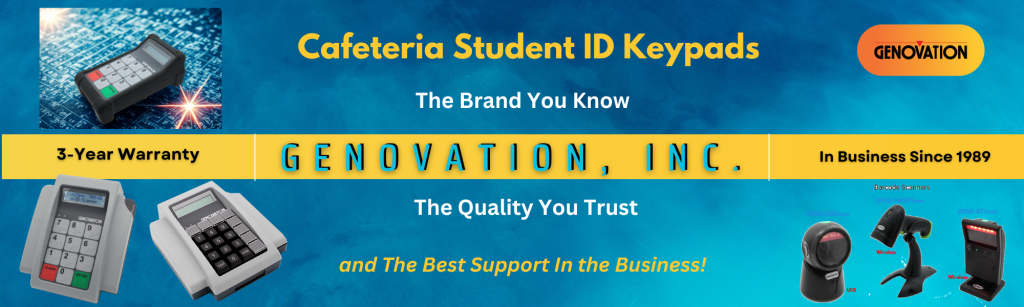
Genovation offers MiniTerm models designed for K–12 environments, helping schools match hardware to real workflow needs.
Choosing Between PIN Entry, Barcode, RFID, and Mobile Solutions
Traditional PIN EntryA reliable keypad remains the simplest solution for many schools. The MiniTerm 909 is designed for cafeteria POS systems with:
- Large soft-touch keys
- Braille-compliant layout
- Durable, easy-clean surfaces
- USB plug-and-play setup
- Protective boot for high-traffic use
Ideal for schools that want dependable performance without changing existing systems.
RFID “Tap-and-Go” Systems
For faster throughput, RFID is often the best upgrade. The MiniTerm 905-RFID-RF5 and MiniTerm 909-RFID-RF5 support contactless student ID cards. Benefits:
- Faster student flow
- Fewer entry errors
- Contactless use
- Better hygiene
- Supports MiFare and HID Prox
Students simply tap and move — ideal for high-volume cafeterias.
Mobile Breakfast and Lunch Cart Solutions
Many schools now use mobile carts for breakfast-in-the-classroom or hallway meal service. The 908-BTB-QR is designed for this type of deployment. It supports barcode and QR scanning for flexible, fast-moving environments. Use cases include:
- Breakfast in classrooms
- Hallway breakfast carts
- Grab-and-go stations
- Satellite serving points
- Mobile lunch service
QR and barcode scanning helps staff process students quickly while maintaining accurate meal tracking.
Keeping Costs Down for Smaller Schools
Not every school needs full-featured hardware.Smaller schools or budget-conscious districts can reduce costs by choosing base models without integrated barcode scanners.
This allows schools to:
- Lower upfront cost
- Standardize across sites
- Add features later if needed
- Avoid paying for unused capabilities
- Stay within tight budgets
This approach works especially well for:
- Elementary schools
- Charter schools
- Rural districts
- Small private schools
- Incremental hardware upgrades
Genovation’s modular approach lets schools scale technology based on actual need instead of overbuying upfront.
Consider Durability and Daily Use
Cafeteria hardware must withstand constant use and frequent cleaning.Devices should handle:
- Heavy student traffic
- Foodservice environments
- Daily sanitation
- Mobile cart movement
- Long operating hours
Genovation MiniTerm devices are built for high-use environments, with keypads rated for millions of presses. Reliability matters — downtime directly impacts meal service.
Accessibility Matters
Schools also need to ensure usability for all students. Select models include:- Braille key labels
- Large, easy-to-press buttons
- High-contrast layouts
- Simple interfaces for younger users
These features help improve accessibility and reduce transaction errors.
Don’t Choose Hardware Alone — Consult With Genovation
Many schools make the mistake of selecting hardware without reviewing their full cafeteria workflow.Genovation works directly with schools to identify:
- Best model for your environment
- RFID, barcode, or QR requirements
- Mobile cart deployment needs
- Integration with POS systems
- Connectivity options
- Budget-based configurations
- District-wide rollout planning
This helps avoid costly mismatches and ensures smoother deployment.
Why Schools Choose Genovation
Genovation solutions are designed specifically for school cafeteria environments.Key advantages include:
- Proven reliability in K–12 settings
- Flexible fixed and mobile solutions
- RFID, barcode, and QR support
- Configurable for different budgets
- Low failure rates
- 3-year warranty
- Long product life cycles
- Easy plug-and-play setup
- Responsive support
- Simple district-wide deployment
The goal is to reduce complexity and improve cafeteria efficiency.
Final Thoughts
The best cafeteria PIN pad depends on your workflow, budget, and meal service model.Whether your focus is:
- Faster lunch lines
- RFID modernization
- Mobile breakfast carts
- Barcode or QR scanning
- Budget control
- Durability
- Accessibility
- Ease of support
Genovation provides flexible solutions built for school nutrition programs. Before deciding, consult with the Genovation team to match the right MiniTerm model to your cafeteria needs.
Ready to Find the Right Cafeteria PIN Pad?
Genovation can help you choose the right solution for your school or district.Contact Genovation at 800-822-4333 or Sales@Genovation.com to discuss your requirements.
For keypad specifications and product details, visit Genovation.com.